What RV Roost is and how it works
RV Roost is an AI-powered RV trip planner. You tell it where you're headed, how many days you have, and how far you're willing to drive in a day — and it maps every leg of the trip: the route your rig can legally drive, an overnight campground that fits your RV each night, and the worthwhile stops along the way. This guide explains what the product does and how the pieces fit together, so the rest of the manual makes sense.
The problem RV Roost solves
Planning an RV trip means solving three hard problems at once:
- A route your rig can legally drive — around low clearances, weight-limited bridges, and propane-restricted tunnels.
- Campgrounds it actually fits — a 38-footer doesn't fit everywhere, and not every site has the hookups you need.
- Days that aren't a death march behind the wheel.
Most tools solve one and leave you the other two. RV Roost does all three together, using AI to do the heavy lifting and real campground data so the plan holds up on the road.
How the AI planner works
When you plan a trip, you give the planner a few simple inputs:
- Where you're starting from.
- Where you're going.
- How many days you have.
- How many hours you want to drive on a typical day.
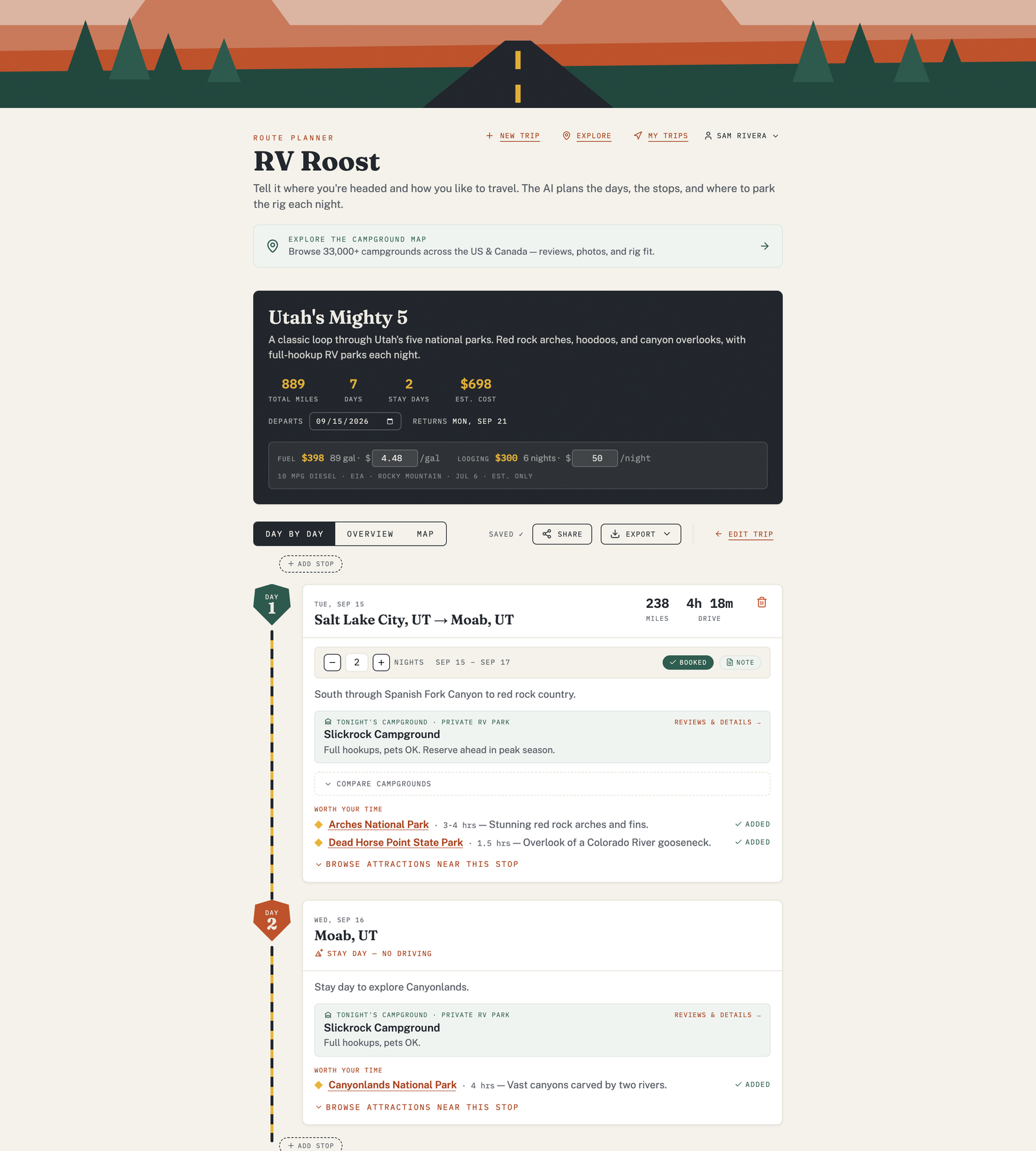
From there, the AI builds a day-by-day itinerary: each driving leg, an overnight campground picked to fit your rig, suggested attractions near each stop, and route notes. Every itinerary is grounded in real campground data — it isn't guessing at place names.
What makes the picks "rig-aware"
RV Roost knows your RV. Once you fill in your RV profile — length, height, weight, and a few preferences — the planner uses it two ways:
- Routing avoids roads and structures your rig can't handle. See how RV-aware routing works.
- Campground picks respect your dimensions and rank each option with a Match Score for how well it fits your rig and your style.
The pieces you'll use
- The planner — generate, edit, and save trips. Start at Plan a trip with AI.
- The Explore map — browse 33,000+ campgrounds plus attractions and free overnight parking, with no trip required. See Use the Explore map.
- Sharing and collaboration — send a view-only link or invite travel partners to edit. See Share a trip.
- The Trip Journal — capture photos and notes at each stop and let people follow along. See Keep a Trip Journal.
- Exports — take the itinerary to your GPS, calendar, or a printable PDF. See Export your trip.
- The mobile apps — turn-by-turn navigation for iPhone and Android when it's time to roll. See RV Roost on iPhone and Android.
Where to go next
- New here? Start with Set up your RV profile, then Plan your first trip.
- Curious what's free? Read Free vs Pro plans.