How to export your trip (PDF, GPX, calendar, spreadsheet)
Your plan shouldn't be trapped in one app. RV Roost exports a saved trip to four formats so you can take it to your GPS, your calendar, a spreadsheet, or the campground office on paper. This guide covers each one and when to use it.
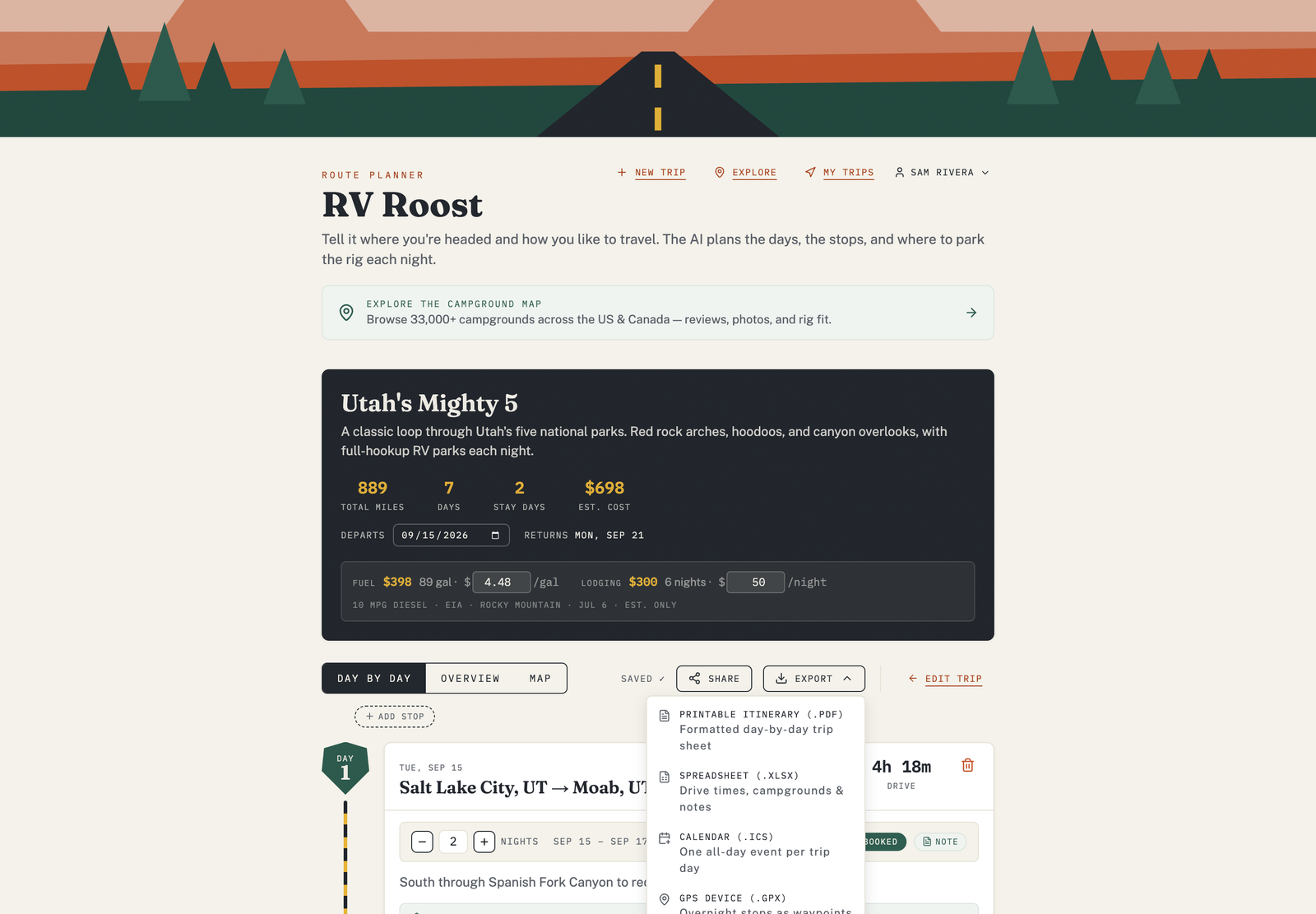
Where to find exports
Open a saved trip and use the export menu. Choose the format you want and the file downloads to your device.
The four formats
- PDF — a printable itinerary with drive times, campgrounds, highlights, and notes, day by day. Great for the copilot seat or the campground office.
- GPX — a GPS exchange file with your route and stops as waypoints. Load it into a car GPS or a handheld unit.
- Calendar (ICS) — adds your overnight stays to Google Calendar, Apple Calendar, Outlook, or any calendar app. This one needs your trip to have a start date so the events land on real days.
- Spreadsheet (XLSX) — the whole itinerary as rows and columns for your own planning, budgeting, or record-keeping.
Tips
- Set a start date on your trip before exporting to a calendar, so each stay is scheduled on the correct day.
- Re-export after you make changes — the file is a snapshot at the moment you export it.
- Mark stops booked with confirmation notes before you export a PDF, so your reservations print alongside each stop.
Free plan: exports are part of a paid plan. See Free vs Pro plans.
Prefer to navigate from your phone?
Instead of exporting to a standalone GPS, you can navigate the trip directly in the iPhone and Android apps, with rig-aware, turn-by-turn directions and offline maps.