How to plan a trip with the AI planner
The AI planner is the heart of RV Roost. Give it four simple inputs and it builds a complete, rig-aware itinerary — routes, overnight campgrounds, and stops — that you can then edit and save. This guide covers generating a trip and reading the results. For a start-to-finish walkthrough for new users, see Plan your first trip.
Before you start
Make sure you're signed in and your RV profile is filled in. The planner needs an account, and your rig details are what make the routes and campground picks fit your RV.
Generate an itinerary
- Open the planner.
- Enter your starting point and destination (search by place name).
- Set the number of days.
- Set your daily drive time — how many hours you're comfortable driving on a typical day.
- Choose Plan my trip.
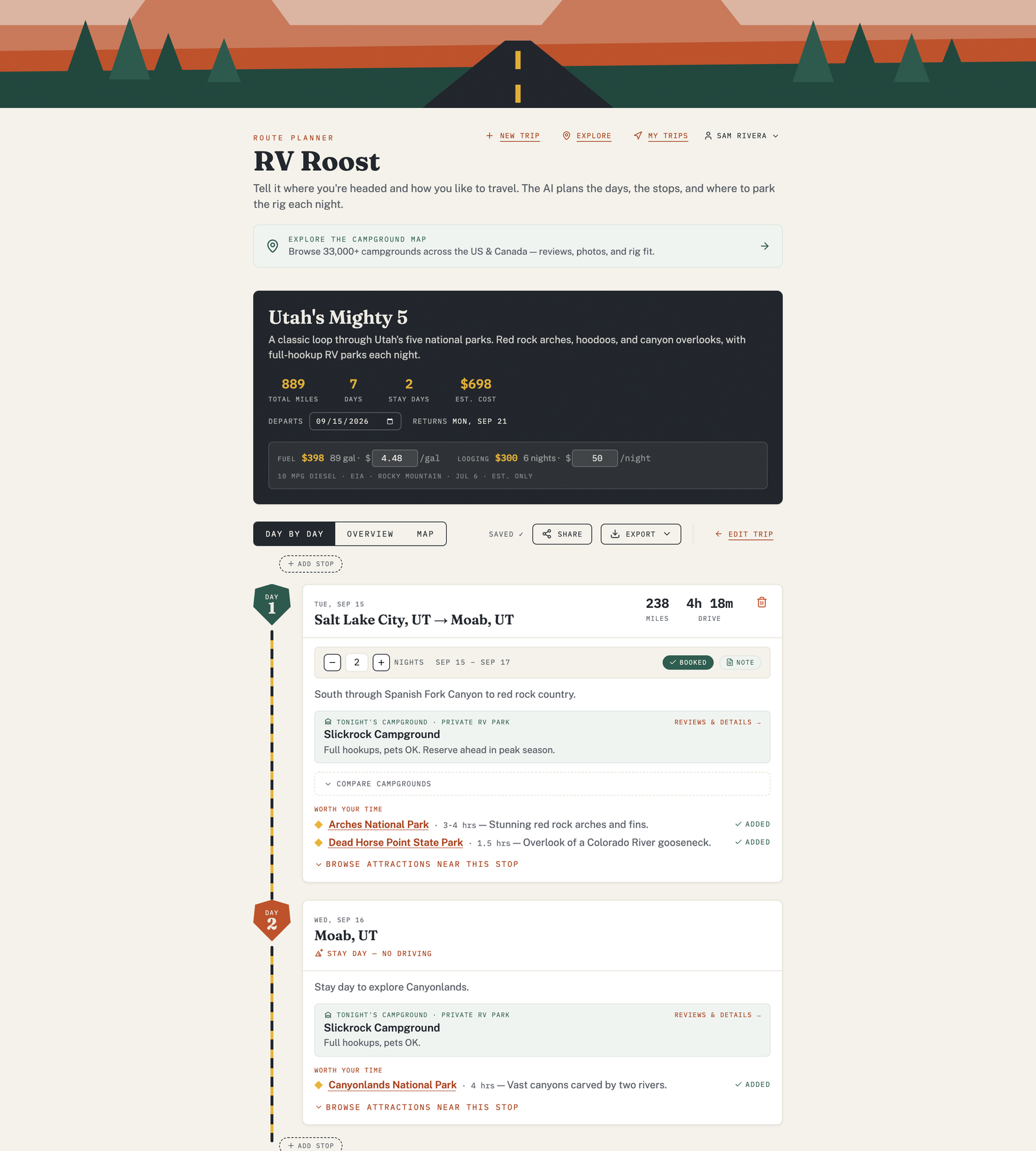
The AI maps every leg and returns a day-by-day plan. Generation takes a few moments as it works out the route and fits a campground to each night.
Read the results
Each day (stop) in the itinerary shows:
- The route for that leg — where you're driving from and to.
- Drive distance and time, with a heads-up if a leg runs longer than your daily drive-time preference.
- The campground pick, with its Match Score and type.
- Nearby attractions worth a stop.
- Route notes with anything worth knowing for that leg.
There's also a trip overview with the total distance and a cost estimate.
Make it yours
The first result is a starting point, not a final answer. From here you can:
- Edit the itinerary — change how many nights you stay, or add and remove stops.
- Swap in a different campground.
- Add attractions and points of interest.
When it looks right, save the trip.
Free plan: trips are capped at three nights. To plan longer trips, see Free vs Pro plans.