How to add attractions and points of interest to a trip
A good RV trip isn't just campgrounds — it's what you see between them. RV Roost draws on a curated library of 27,000+ attractions and points of interest, and suggests the ones near each stop so your days have highlights built in. This guide shows how to add, remove, and browse them.
Suggested stops on each day
When the AI plans your trip, each stop lists nearby attractions — scenic views, parks, museums, and other worthwhile detours within reach of that night's campground. Each shows its category and roughly how far it is from the stop.
Add or remove attractions
- Keep the suggestions you like — they stay on the day and travel with the trip.
- Remove the ones that don't interest you to keep the day focused.
Your choices are saved with the itinerary, so they show up when you reopen the trip, share it, or export it.
Browse for more nearby
Want more options than the suggestions? You can browse additional attractions near a stop and add the ones that catch your eye. This is a good way to fill a rest day or find something for the kids.
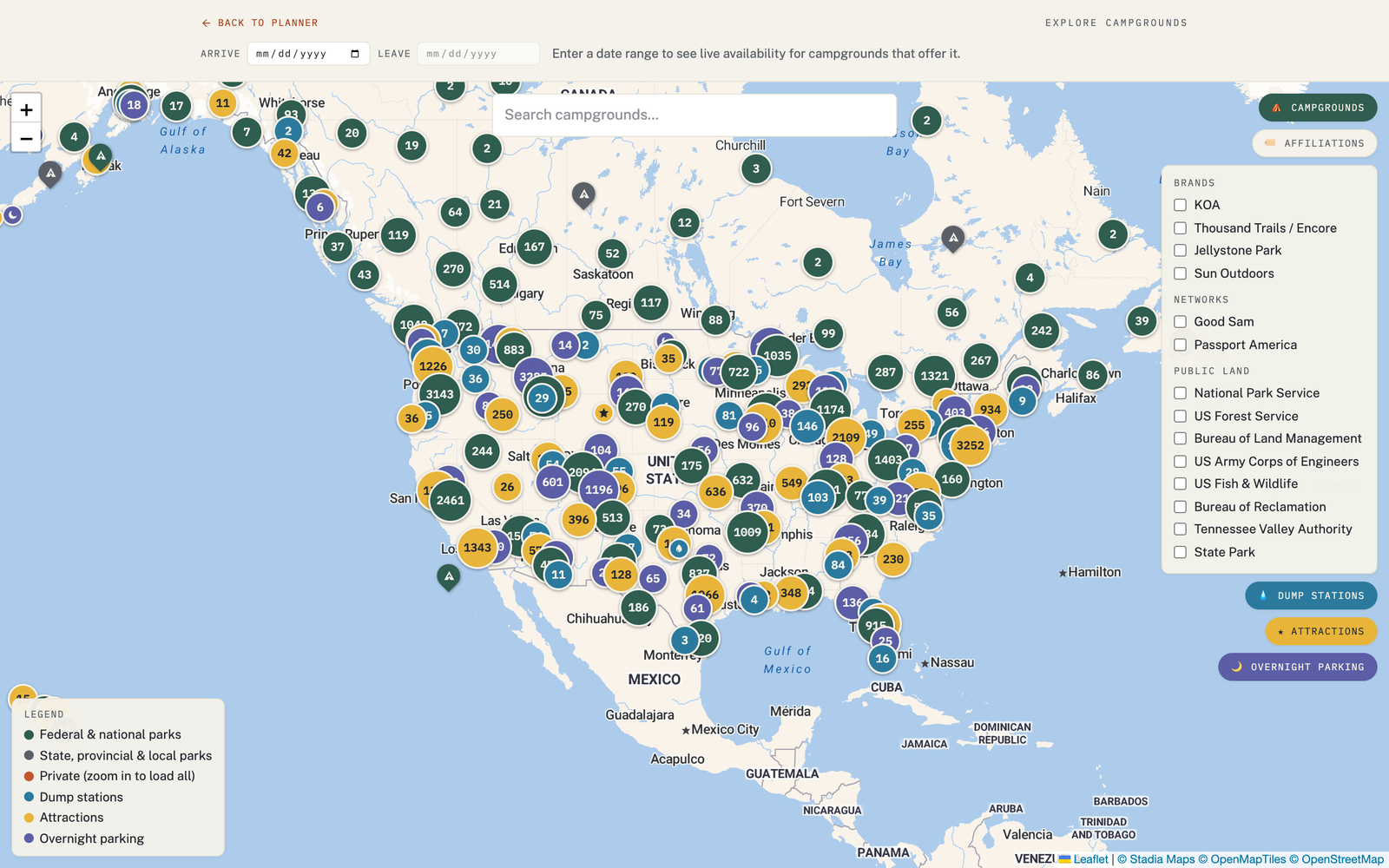
See attractions on the Explore map
The same attractions are a layer on the Explore map, so you can turn them on and scan an area before you even plan a trip. Alongside them you'll find free overnight parking and dump-station layers.