How to edit your itinerary — days, nights, and stops
An AI itinerary is a first draft — the real value is in reshaping it to how you actually want to travel. This guide covers editing the structure of a trip: nights per stop, adding and removing stops, and marking bookings. To change which campground you stay at, see Swap in a different campground.
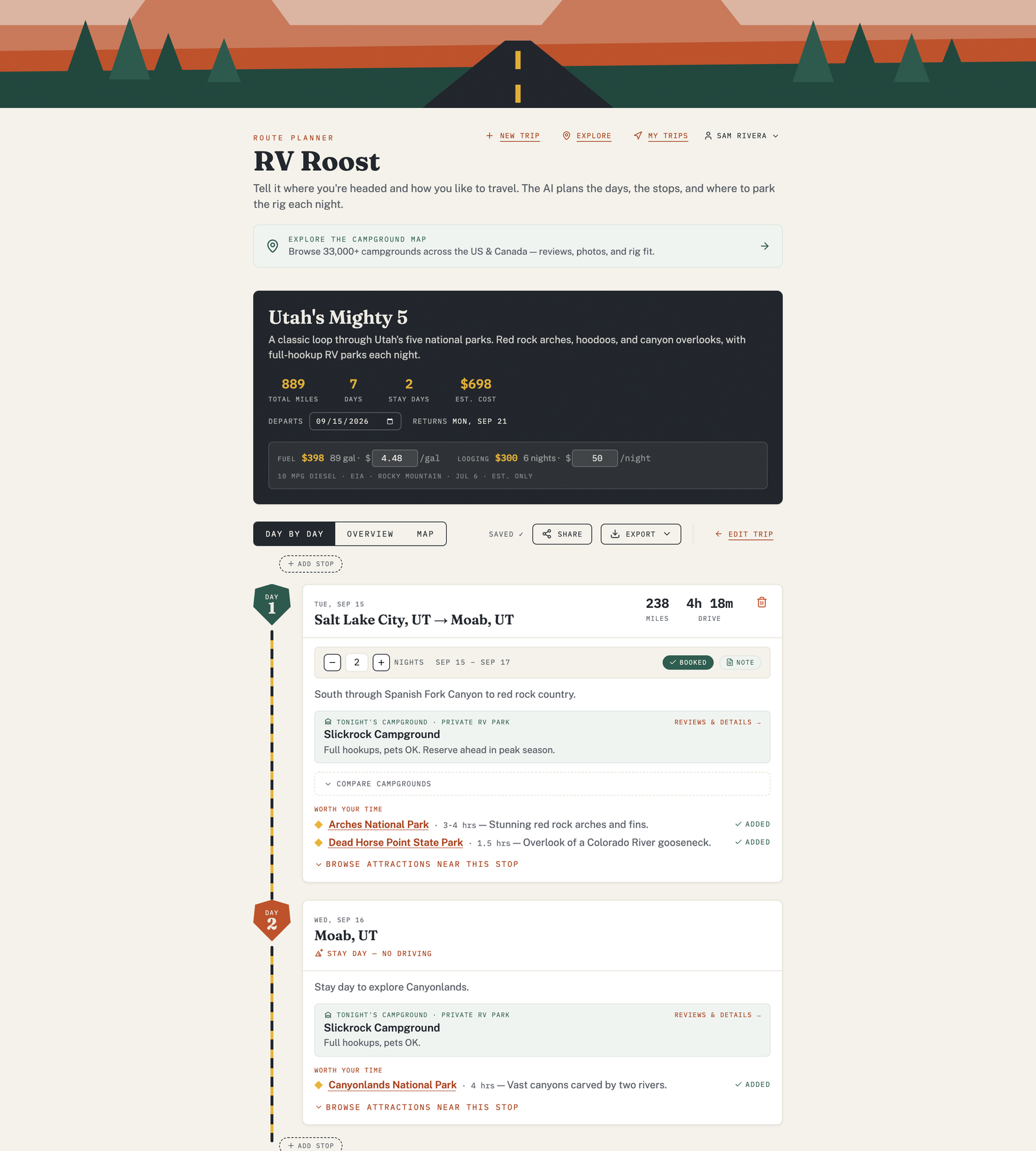
Change how many nights you stay
Each stop has a nights control. Increase it to linger somewhere you love, or decrease it to keep moving. As you change nights, the dates for the rest of the trip shift to match.
Add or remove stops
- Add a stop to break up a long driving leg or work in a detour.
- Remove a stop you don't need. If you remove one by accident, an Undo option appears so you can put it back.
Watch the per-leg drive times as you edit — if a leg runs longer than the daily drive time you set, the card flags it so you can add a stop or shorten the day.
Mark a stop as booked
When you reserve a site, mark the stop as booked and add a booking note — a confirmation number, a site number, a check-in time. The note travels with the trip, including on your exports and in the mobile apps, so the details are handy at the campground office.
Add route notes
You can add your own notes to a stop — a fuel stop to remember, a dump station to hit, a friend to call. They're saved with the trip.
Everything saves with the trip
Once you've saved the trip, edits update it automatically, and the changes sync to the mobile apps on a paid plan.
Free plan: trips are limited to three nights total. See Free vs Pro plans for longer trips.