How to estimate trip costs (fuel and lodging)
Before you commit to a route, it helps to know roughly what it'll cost. RV Roost puts a fuel-and-lodging estimate right on your itinerary, based on your rig and current fuel prices, and lets you adjust the numbers. This guide explains what's in it and how to tune it.
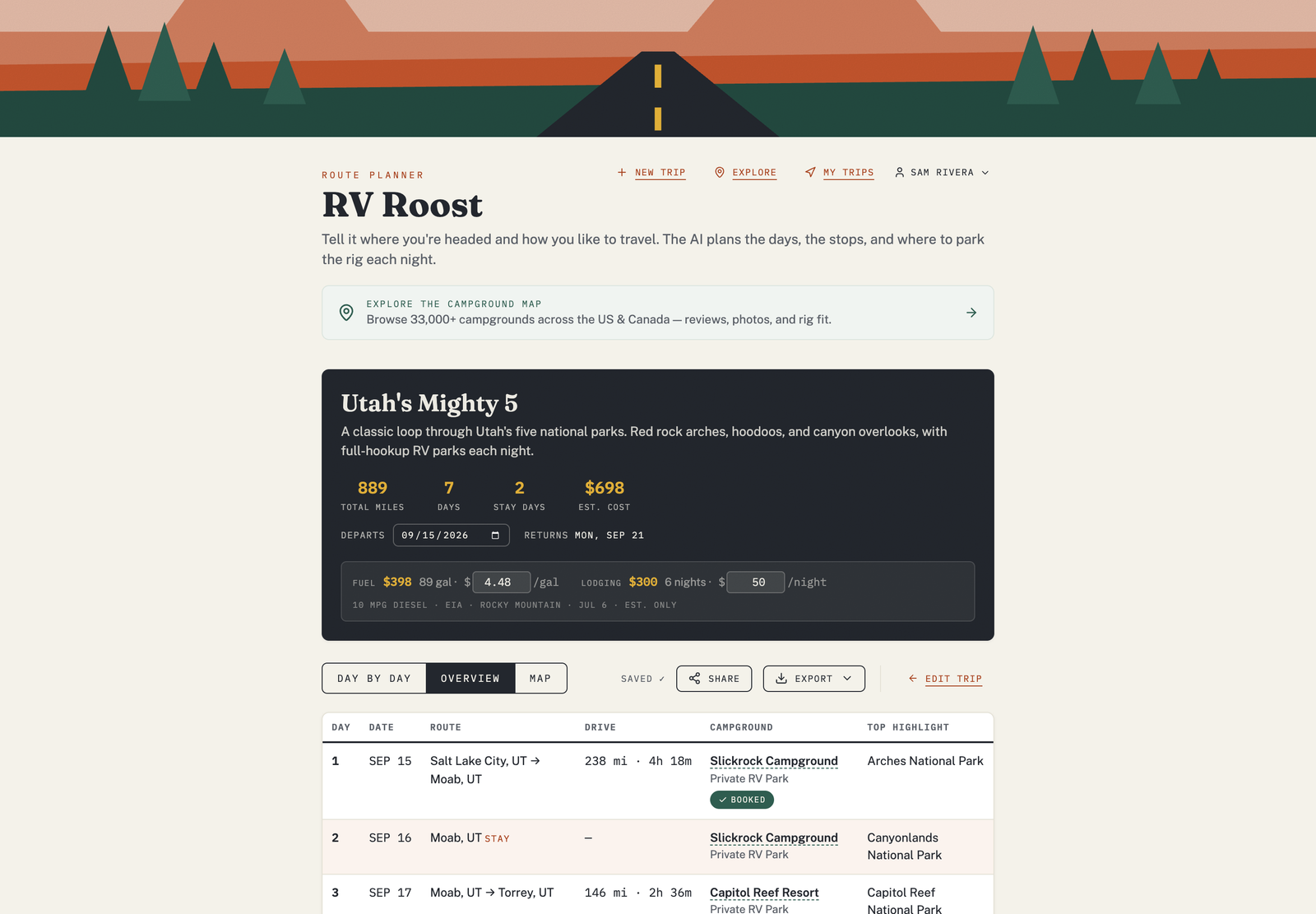
Where the estimate lives
Open a trip and you'll find a cost estimate alongside the itinerary. It combines two parts:
- Fuel — your trip's total distance, your rig's fuel economy, and the current fuel price.
- Lodging — the nights of your trip and a nightly rate.
How fuel is estimated
Fuel cost uses your rig's miles per gallon and a price per gallon:
- If you entered an MPG in your RV profile, the estimate uses your real number; otherwise it uses a sensible default for your fuel type.
- The price per gallon reflects live regional fuel prices for the area your trip runs through, and it accounts for whether your rig runs gas or diesel.
Adjust it to match reality
The estimate is a starting point — you can edit the inputs to fit what you actually expect:
- Change the fuel type, MPG, or price per gallon.
- Set the nightly lodging rate to what you really pay.
The total updates as you go, so you can pressure-test a trip's budget before you leave.
A realistic figure, not a quote
Fuel prices move, campground rates vary, and real mileage depends on terrain, wind, and how you drive. Use the estimate to compare trips and set a budget — not as an exact bill.
Free plan: editing the cost estimate is part of a paid plan. See Free vs Pro plans.