How to collaborate on a trip with travel partners
Planning a trip with other people works best when everyone can actually change the plan. RV Roost's editable links let travel partners pitch in — swapping campgrounds, reshaping days — while every change is tracked and the trip's owner stays in the loop. This guide shows how it works.
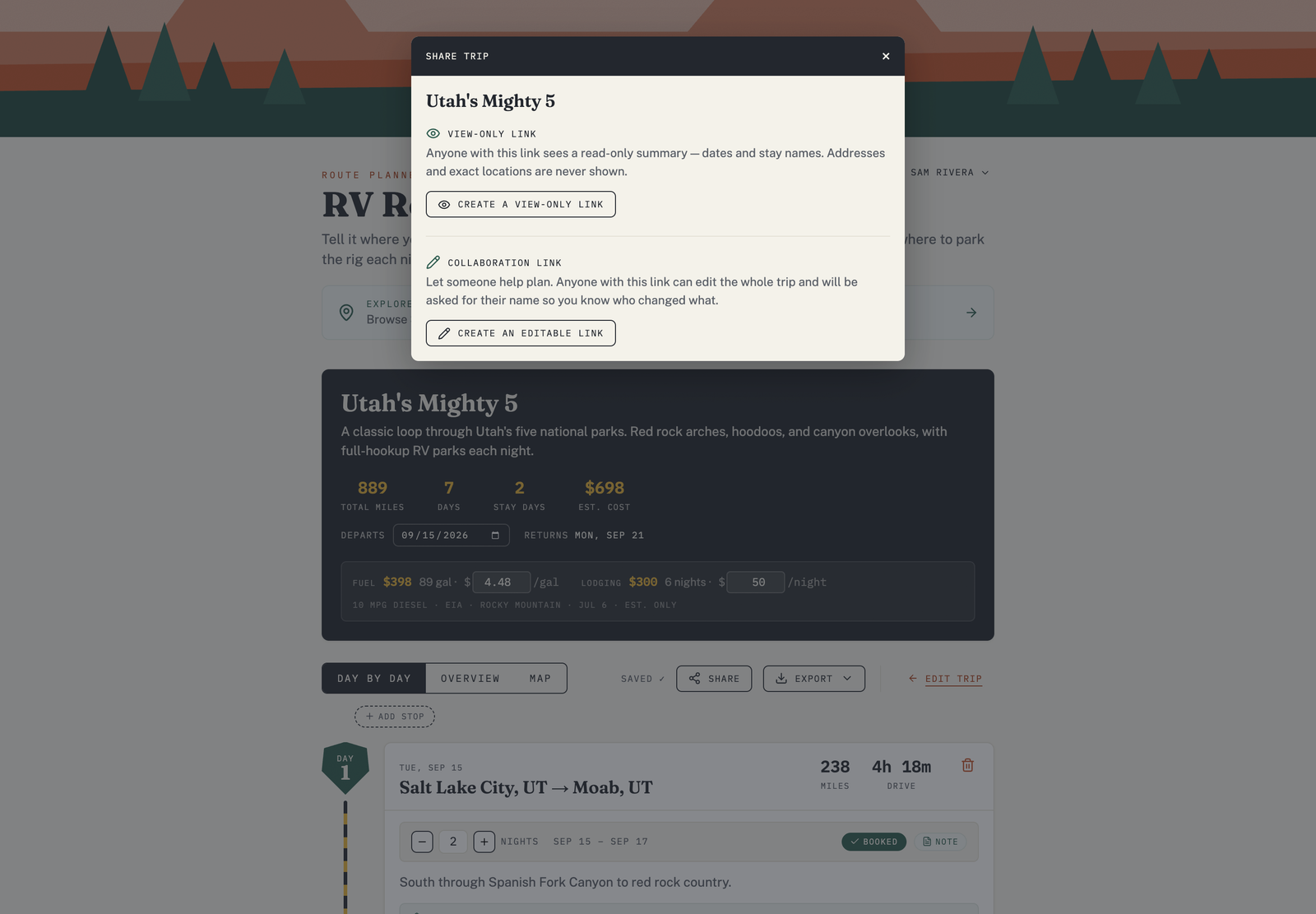
Create an editable link
- Open the trip.
- Choose Share.
- Create an editable link and send it to your travel partners.
What collaborators can do
Someone who opens an editable link is asked for their name and email the first time, then gets a full trip editor. They can:
- Change how many nights you stay at each stop.
- Swap campgrounds using the alternates.
- Add or remove attractions.
- Mark stops booked and add notes.
They don't need an RV Roost account to collaborate — the link is the invitation.
Changes are tracked, and you're notified
Every edit is attributed to the person who made it, so you can see who changed what. The trip owner receives email notifications when a collaborator makes changes, with a note on what changed — so the plan never shifts under you without your knowing.
Keep control of the link
The editable link is the key to the trip: anyone who has it can edit. Share it only with your travel partners, and stop sharing from the Share panel when you're done collaborating.
Free plan: collaboration is part of a paid plan. See Free vs Pro plans.